
Help centre/Set up/Getting started
How freezing works
Freeze an invoice or a whole contact to stop Paidnice chasing it, and see what still happens while it is frozen.
Updated 29 October 2026
Freezing stops Paidnice applying policies. Freeze an invoice when you have agreed something with the customer about that one invoice and don’t want reminders, fees or escalations going out in the meantime. Freeze a contact when Paidnice should leave that customer alone altogether, for example while the account is with a collection agency.
Frozen status lives in Paidnice only. Nothing is written to Xero or QuickBooks, a sync does not undo it, and customers see nothing about it in the portal.
Freezing an invoice
Open the invoice and click Freeze invoice at the top right. The switch turns blue and reads Invoice frozen, and a banner across the invoice says “This invoice is frozen. No policies will apply to it”. Click the switch again to unfreeze.
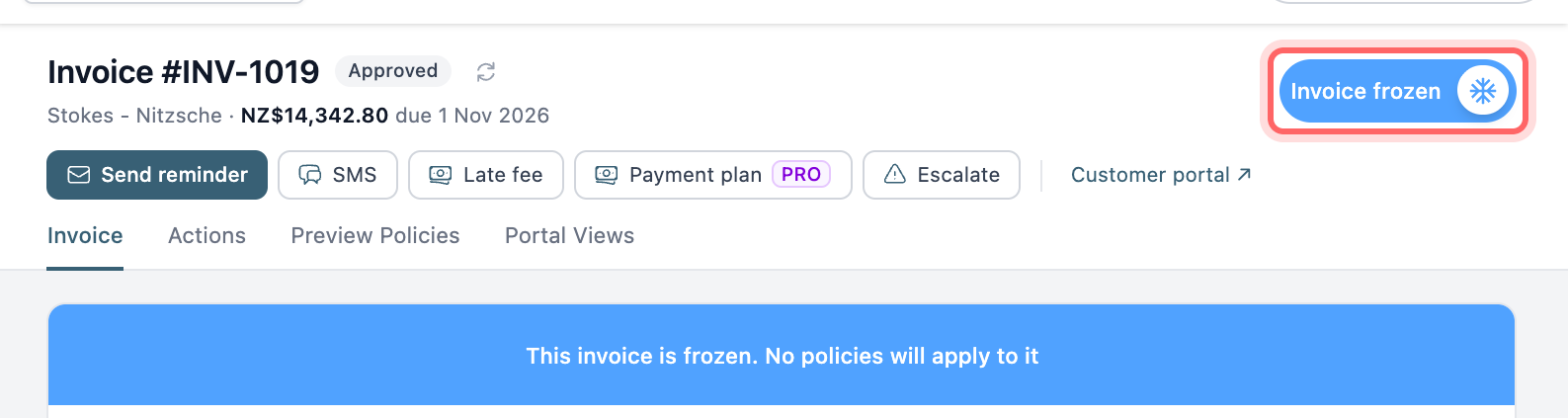
To freeze several invoices at once, tick them in the invoice list and click Freeze or Unfreeze above the list. You can do the same from the Escalations page with Freeze invoices and Unfreeze invoices. Contact escalations in the selection are skipped.
In the invoice list, a frozen invoice has a padlock next to its number. To list only frozen invoices, open Filters, pick the frozen column and set the value to Frozen. Click Save view if you want to keep that list.
Freezing a contact
Open the contact and click Freeze contact in the header. It reads Contact frozen when on, and the activity feed shows “This contact is frozen. No policies will apply to its invoices”.
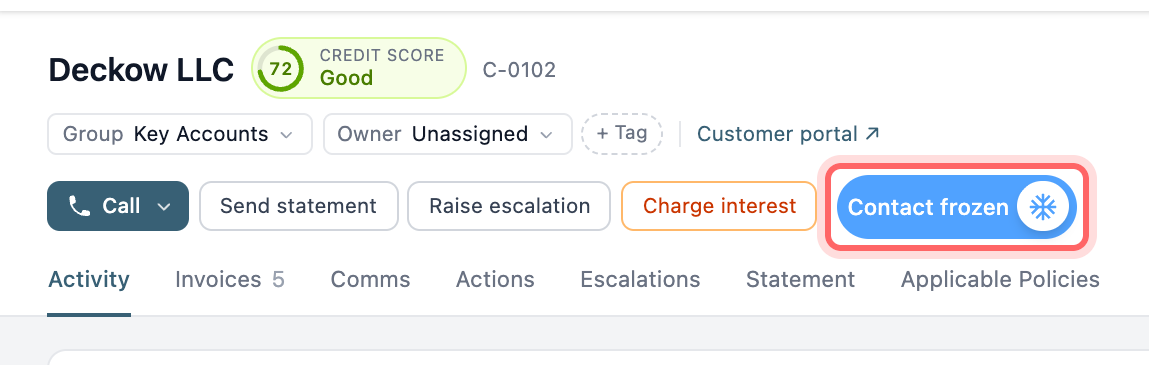
To freeze or unfreeze several contacts, tick them in the contacts list and use the Freeze Contacts menu. The Frozen column shows a blue padlock for each frozen contact.
Freezing a contact does not freeze its invoices one by one. Each invoice keeps its own setting, and invoices for a frozen contact show a Contact Frozen badge on the invoice page. When you unfreeze the contact, its invoices are chased again unless they are frozen themselves.
What stops while something is frozen
A frozen invoice is skipped by every policy: reminder emails, SMS alerts, late fees, prompt payment discounts, escalations and payment plan reminders. If an action was already scheduled, it fails with the reason “Invoice is frozen” when its time comes.
Frozen invoices still appear on statements, so the customer sees their full balance. They don’t count towards whether a statement is sent, and they are left out of statement interest.
A frozen contact goes further. No policy runs for any of their invoices, and they get no statements, statement interest, contact escalations or quote emails.
Sending something by hand
Freezing an invoice only stops automatic policies. Send reminder, SMS, Late fee and the other buttons on a frozen invoice still work. The late fee preview warns you with “Invoice is frozen. You can still apply this late fee.” Bulk Send reminders from the invoice list leaves frozen invoices out.
A contact freeze is stricter and blocks reminders you send by hand as well. Unfreeze the contact first if you need to send one.
Freezing automatically
Two settings under Organisation Settings, Advanced, Default Behaviour freeze invoices for you:
- Autofreeze invoices. On by default. If an invoice that was paid becomes unpaid again in Xero or QuickBooks, usually because a payment was reversed, Paidnice freezes it. This stops a customer who thinks they have paid from getting a reminder out of the blue. It stays frozen until you unfreeze it.
- Freeze until expected payment date. Off by default. When on, an invoice with an expected payment date in the future has no policies applied until that date, and chasing starts again by itself afterwards. This doesn’t turn on the invoice’s freeze switch, and anything you send by hand still goes.
Paidnice also freezes an invoice if applying a late fee or a prompt payment discount fails partway through, so someone can check it before anything else happens.
Things to know
- Nothing unfreezes on its own. A frozen invoice stays frozen after it is paid or voided, though by then there is nothing left to chase.
- The invoice timeline records “Invoice was manually frozen” and “Invoice was unfrozen”. Contact freezes don’t appear in any timeline.
- Freezing has no reason or end date. Add a note to the invoice or contact so your team knows why. If the customer is disputing the invoice or has promised to pay, a query or payment promise also pauses chasing and records why.