
Help centre/Chase/Auto statements
How auto statements work
Email customers a statement of what they owe on a schedule, or send one by hand.
Updated 7 October 2026
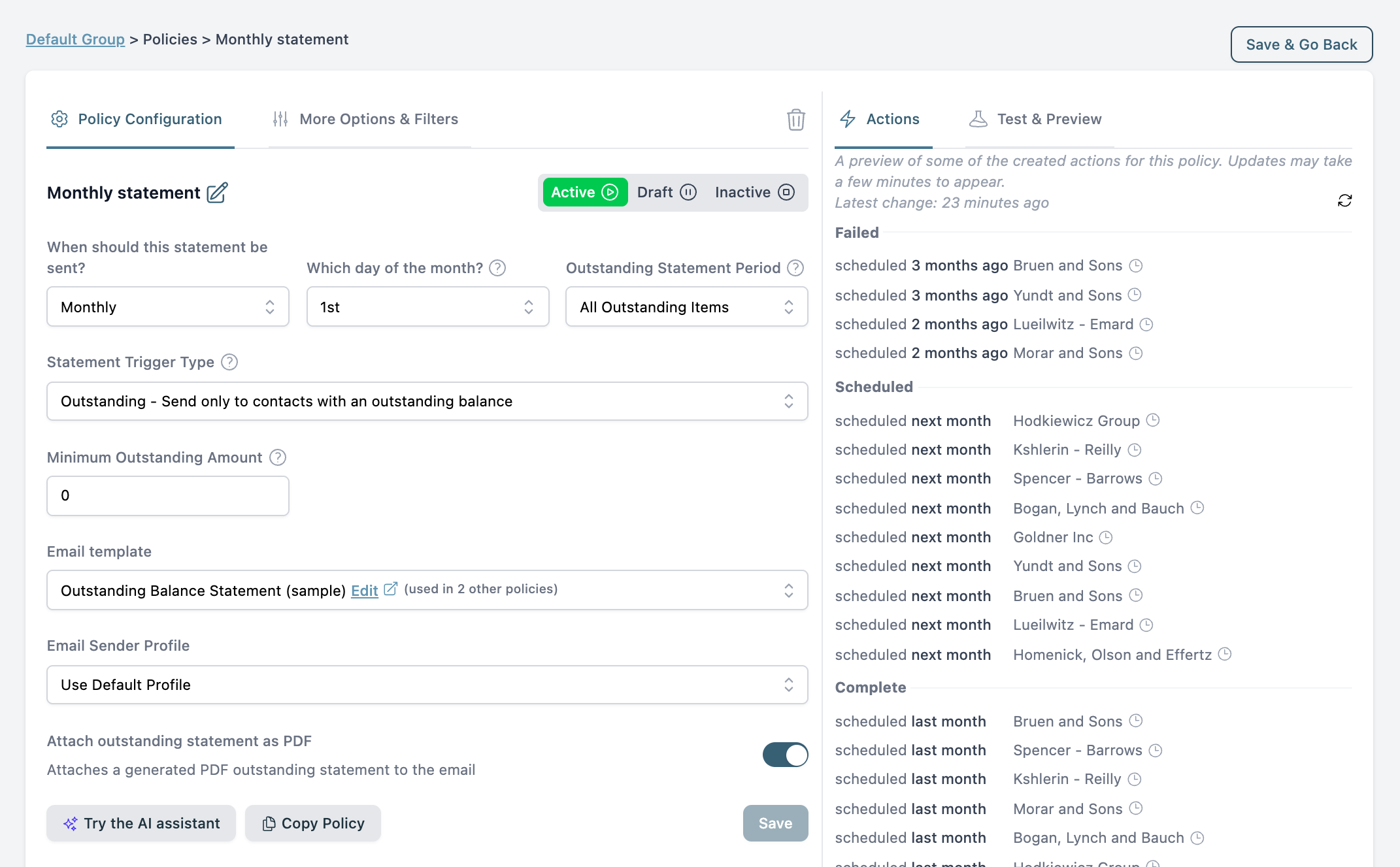
A statement policy emails each customer a statement on a schedule, with a PDF attached. You can also send one at any time from a contact’s page with Send Statement.
Setting one up
Open a group, go to its Policies tab and add a statement policy.
- Schedule: monthly on a day of the month, monthly on weekdays only, or weekly.
- Who gets one: customers with an outstanding balance, an overdue balance, a credit balance, or everyone.
- Filters: minimum amount, minimum and maximum overdue age, parent customers only.
- Template: a statement type email template. Merge tags can insert the balance and a link to the online statement.
- Attachments: the outstanding statement PDF (on by default) and, on Xero, an activity statement PDF.
If nothing qualifies when the time comes, the action completes as Not Sent with the reason. Contacts with no email address are skipped. Frozen contacts get no statement.
What is on the statement
Outstanding statements list every unpaid invoice, one PDF per currency. Credit notes, overpayments and prepayments appear or are deducted according to Settings, Advanced, Credit Note / Overpayment / Prepayment Behaviour. Frozen invoices and invoices with an open query are still listed, so the customer sees their full balance.
Parent contacts get their child contacts’ invoices on the same statement.
Changing the look
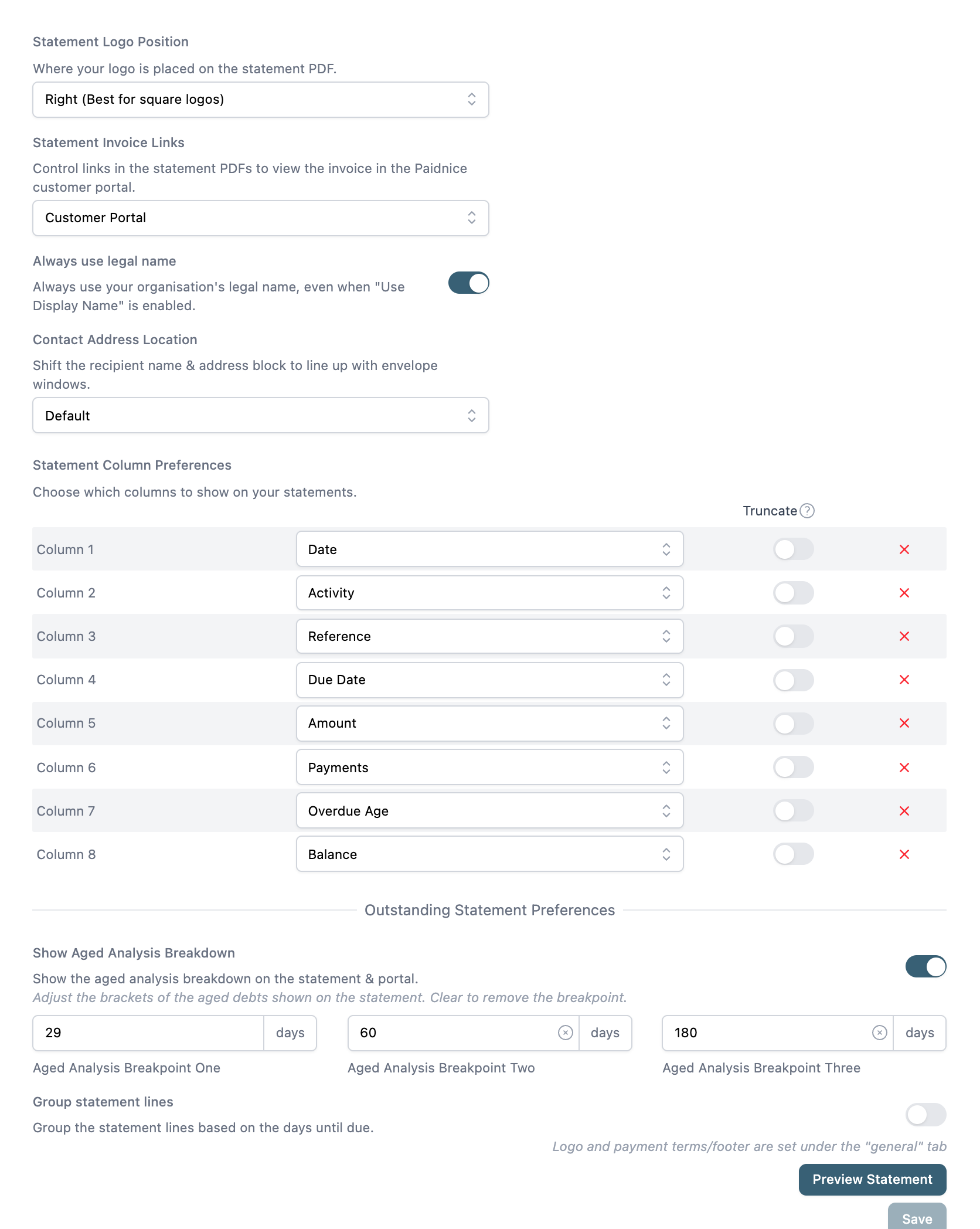
Under Settings, Statement Settings: Statement Logo Position, Statement Invoice Links (the customer portal, the accounting system, or nowhere), Always use legal name, Contact Address Location for window envelopes, Statement Column Preferences, Show Aged Analysis Breakdown with its three breakpoints, and Group statement lines. The footer text and logo come from Settings, General. Use Preview Statement after saving.
A Pay Now button appears on the statement when a connected payment provider supports paying the full balance. See How payments work. The online statement the links point to is described in How the customer portal works.
To charge interest on the balance the statement shows, add a statement interest policy to the same group. See How statement interest charges work.