
Help centre/Chase/SMS alerts
How SMS alerts work
Text customers about overdue invoices, what it costs, and how customers opt out.
Updated 7 October 2026
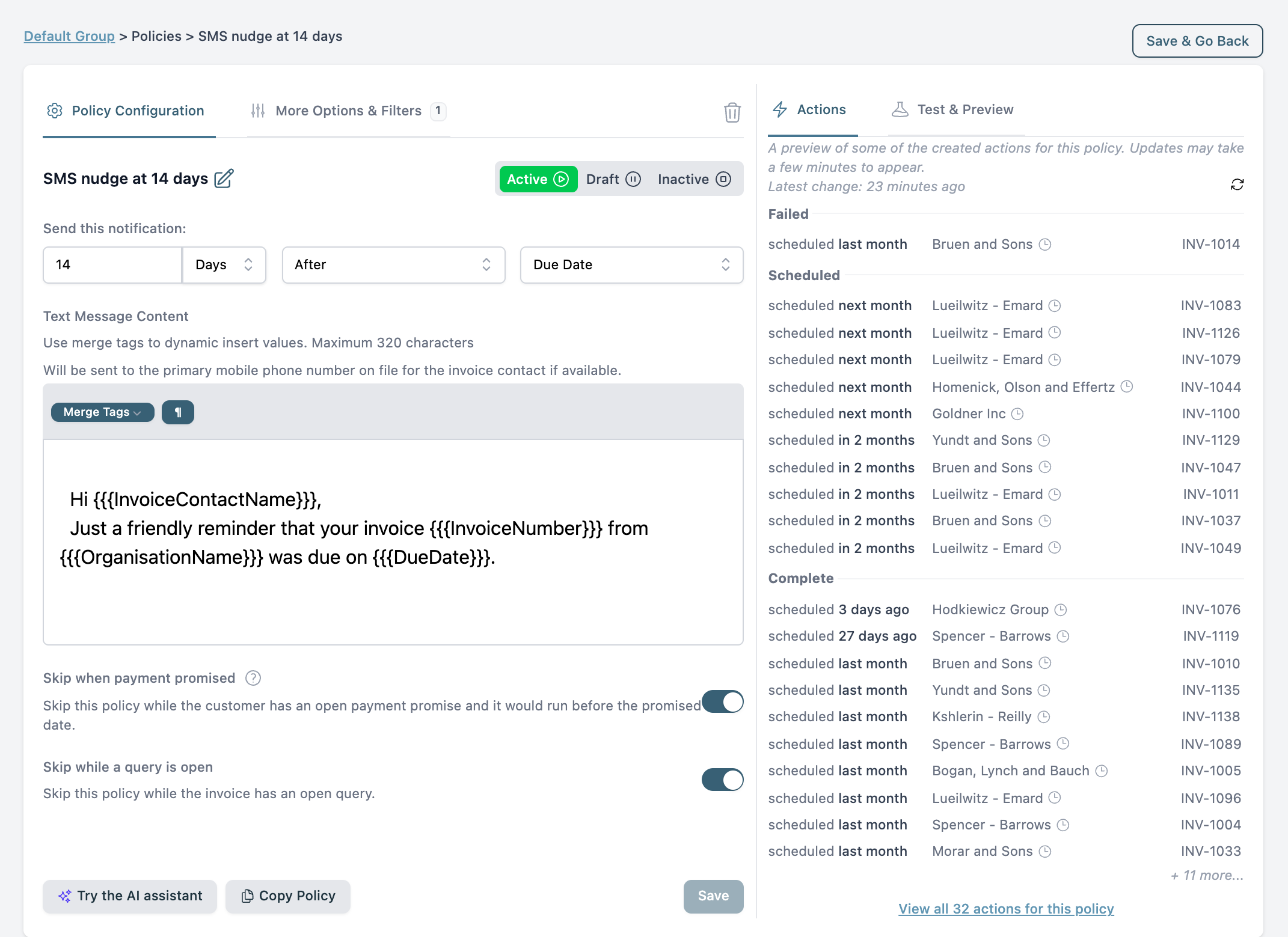
An SMS policy works like a reminder policy but sends a text message to the primary contact’s mobile instead of an email.
Setting one up
Open a group, go to its Policies tab and choose Add SMS Alert.
- When: days or weekdays before or after the due date or issue date.
- Message: 10 to 320 characters. Merge tags work. Links are shortened automatically. Messages over 160 characters are sent in parts and billed as such.
- Number to use: the primary contact’s mobile. Tick Use business phone number to fall back to the contact’s main phone number. Set a Default country code for numbers saved without one.
- Filters and action time: the same as reminder emails.
Billing
SMS is charged per message on top of your plan. Set a monthly SMS limit on the Billing page. When the limit is reached, SMS actions are marked Suspended until the next month or until you raise the limit. During a trial, texts count against the free action allowance. See Plans and billing.
Opting out and replies
Customers can switch off SMS from their customer portal page once they have received one. The contact then shows SMS Disabled and only the customer can turn it back on.
Replies land in the Inbox under the SMS tab, and you can answer from there. The first reply a customer sends gets an automatic message saying it has been forwarded to your business.
Why an SMS was not sent
The usual reasons: no mobile number on the primary contact, the number is not valid for its country, the customer has opted out, or the monthly limit is reached. The action’s notes say which. Check mobile numbers under Settings, Advanced, Default Behaviour flags every number SMS cannot reach before a policy runs. For the general checklist see Why did Paidnice not send a reminder or charge a fee?